How to Find a Douyin Live Room URL
Finding the right Douyin live room URL is often the hardest setup step before you can automate cloud recording.
This guide explains how to get the correct Douyin live room link for rooms you own, manage, or are authorized to record, whether the stream is live right now or not live yet.
Only use this workflow for Douyin live rooms you own, manage, or are explicitly authorized to record. Do not use it to track arbitrary creators or set up unauthorized recording.
Why the Douyin Live Room URL Matters
AutoRecordLive needs a stable Douyin room or source link so the platform can monitor live availability and start recording at the right time.
- The correct URL helps AutoRecordLive monitor the right Douyin room
- A wrong or incomplete link can prevent recording from starting
- Short share links may still work, but you should confirm they resolve to the right room
- Preparing the URL before a campaign or training session reduces last-minute setup risk
How to Find the URL When the Douyin Live Is On
If the live is already running, the easiest method is to open the authorized room and copy the share link directly from the live interface.
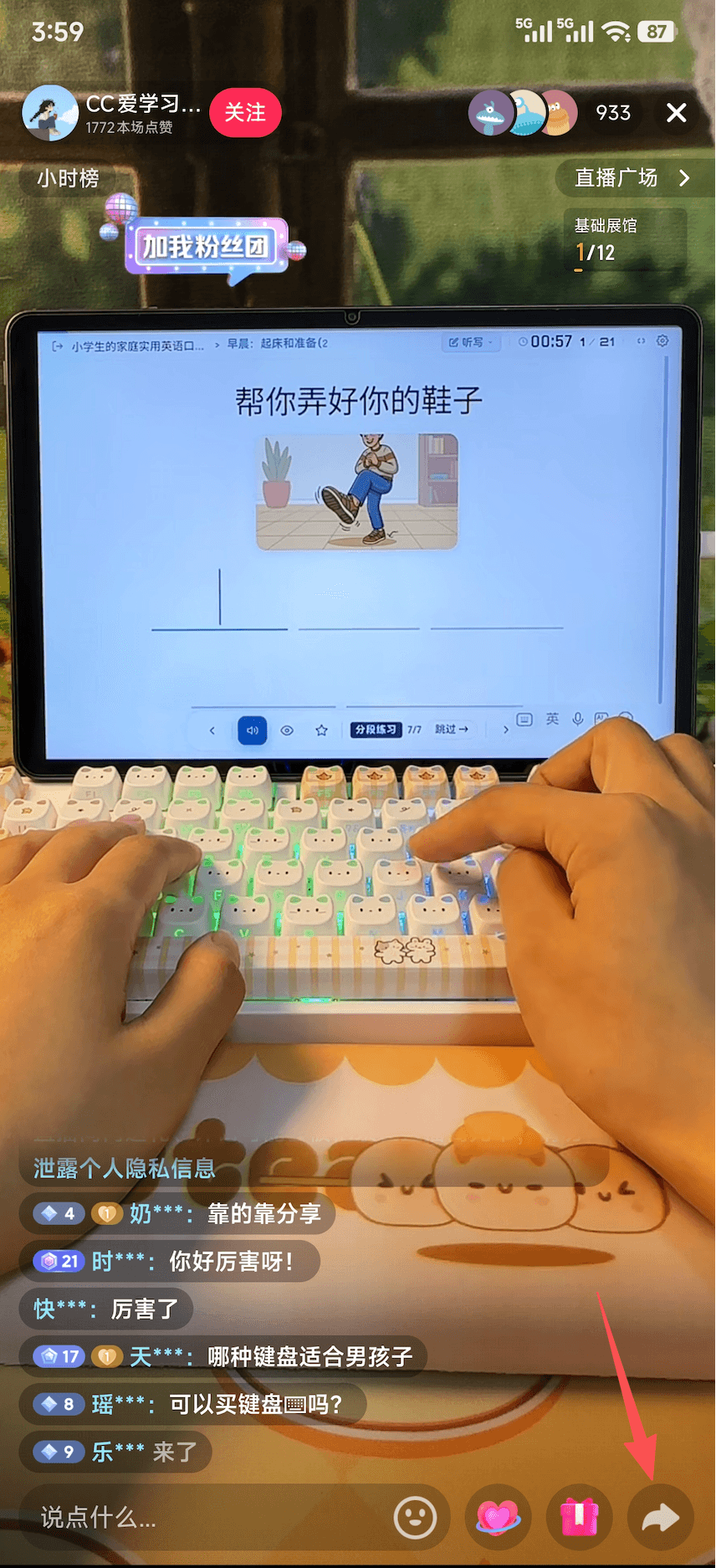
Step 1: Tap the share button in the lower-right corner
Open the Douyin live room you own, manage, or are authorized to record, then tap the share button in the lower-right corner.
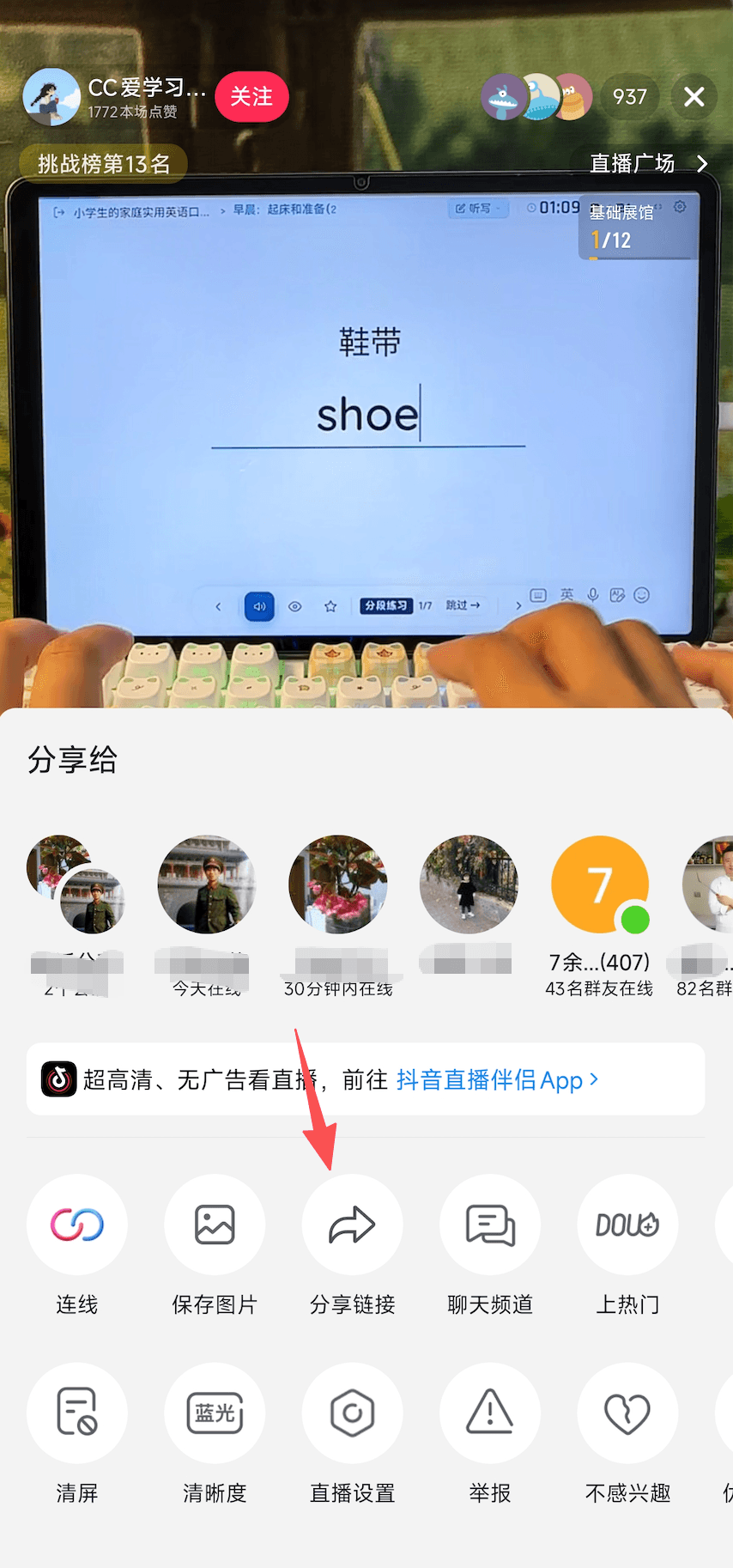
Step 2: Tap the share-link button
In the share panel, tap the share-link button to get the link, then paste that link into AutoRecordLive.
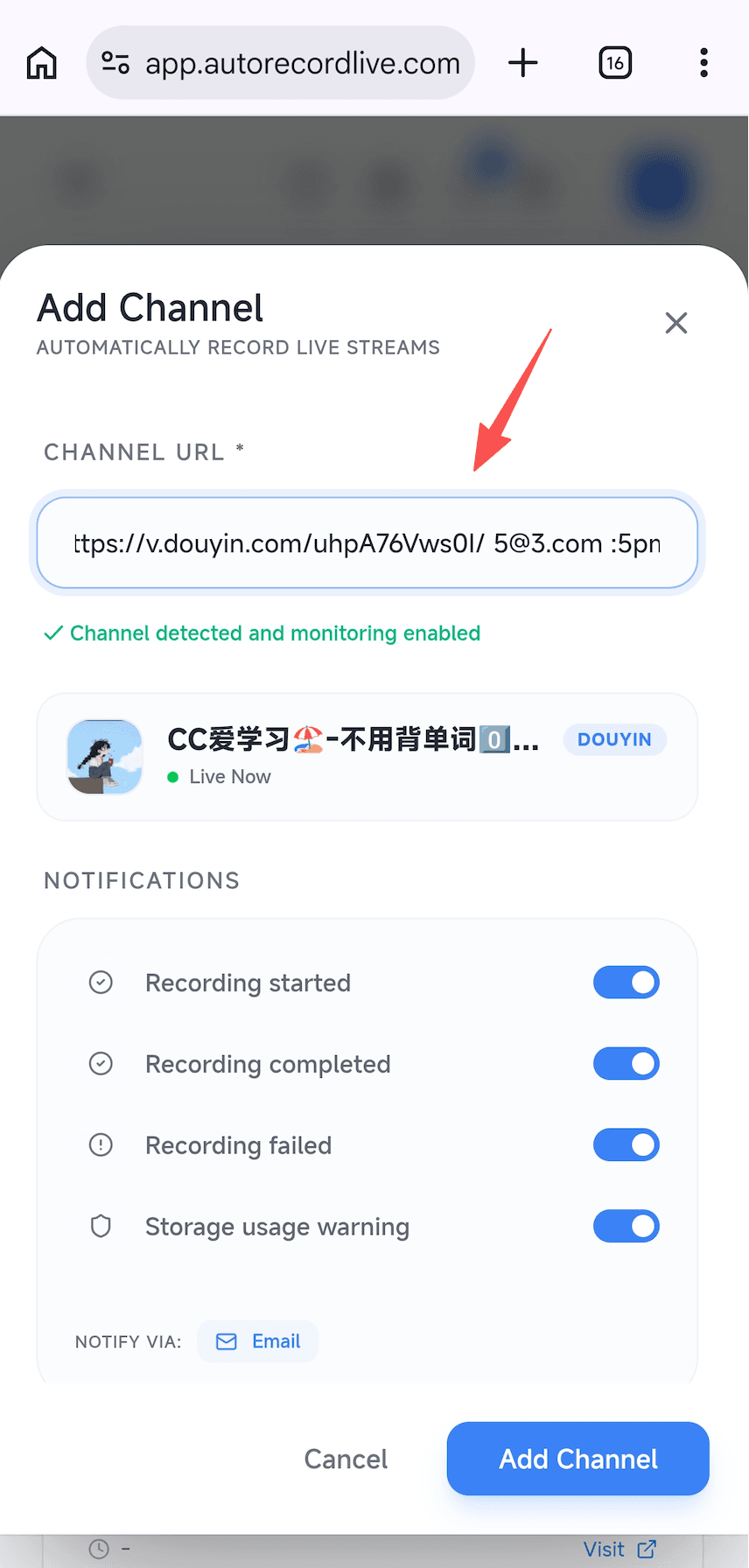
Step 3: Paste the link into AutoRecordLive
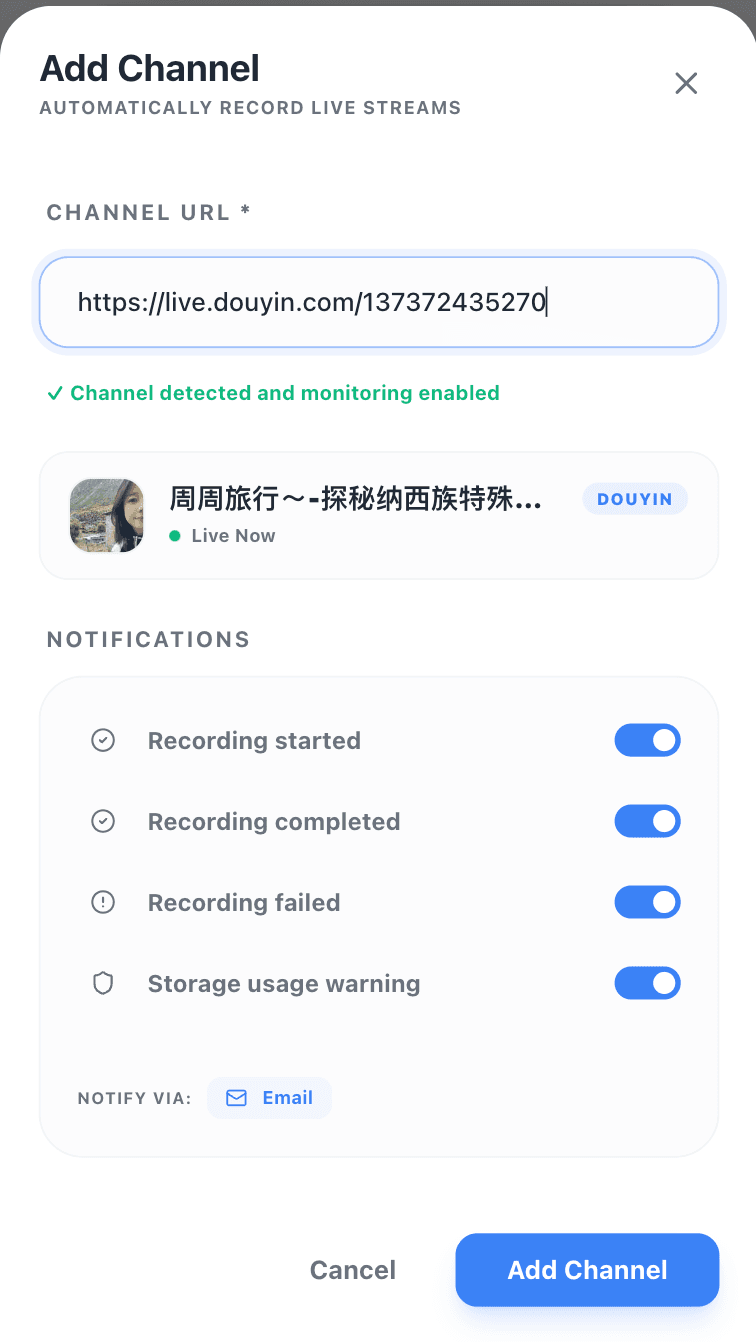
Paste the copied link into the Add Channel input field in AutoRecordLive.
How to Find the URL Before the Douyin Live Starts
When the streamer is not live yet, you can get the Douyin ID from the profile first and build the live room URL manually for setup.
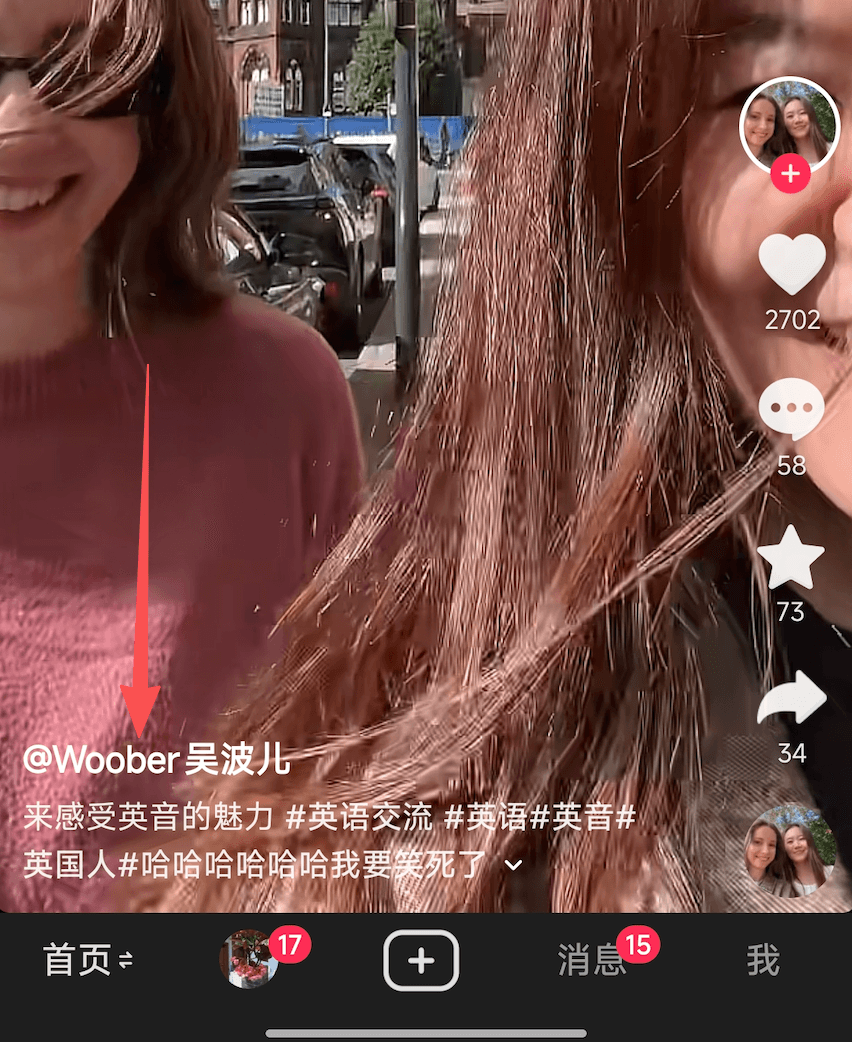
Step 1: Tap the username in the lower-left corner to open the profile
Open the Douyin live room you own, manage, or are authorized to record, then tap the username in the lower-left corner to enter the profile page.
Step 2: Copy the Douyin ID from the profile page
On the profile page, tap the button next to the Douyin ID to copy that account's Douyin ID.
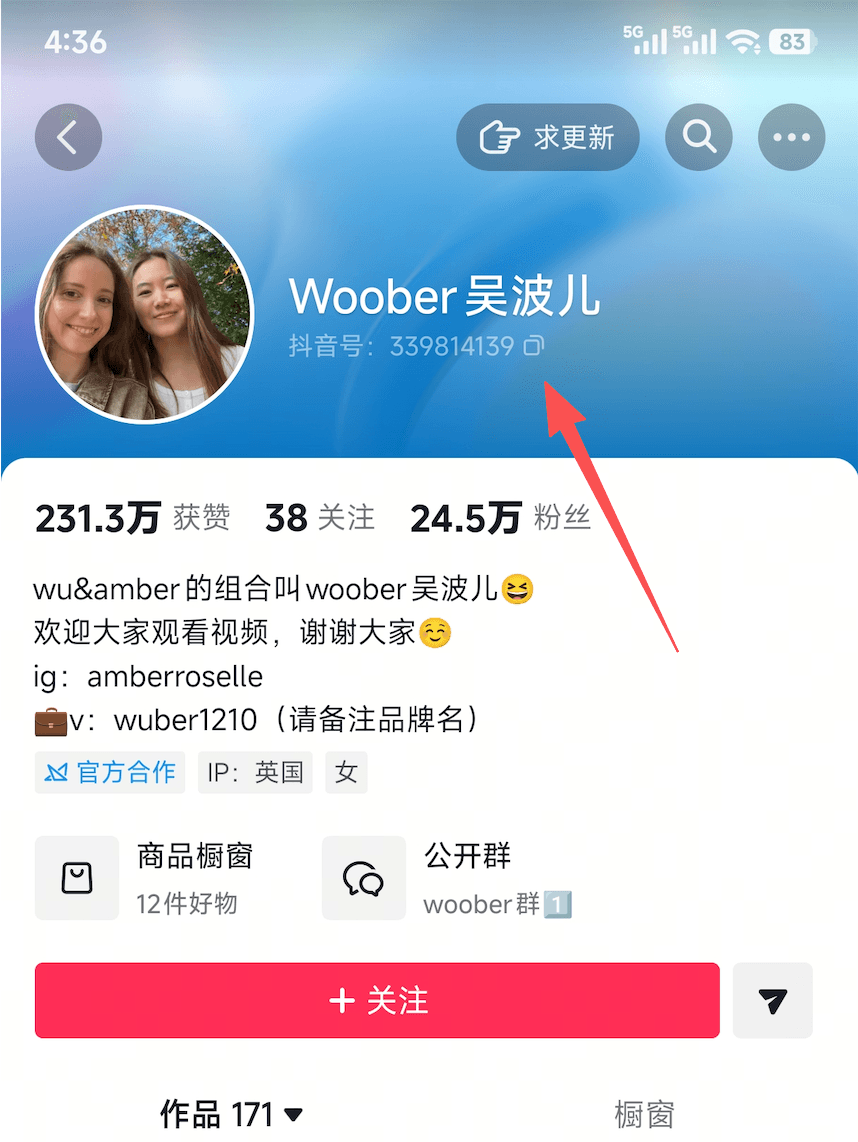
Step 3: Build the live room URL manually
Append the copied Douyin ID to https://live.douyin.com/ to form the room URL, for example: https://live.douyin.com/339814139.
Add the Douyin Live Room URL to AutoRecordLive
Once you have the best room link, add it to AutoRecordLive so the platform can watch the authorized room for future live sessions.
- Paste the Douyin room URL into AutoRecordLive
- If the link is shortened, confirm it resolves to the expected room
- Keep the monitoring task tied to your own, managed, or approved room
- Return after processing to review playback or export options when allowed
What to Check Before Recording
- Make sure the room belongs to your team or is approved for recording
- Confirm the copied link opens the expected Douyin room
- Check whether the live has started yet or still needs a final URL verification
- Use AutoRecordLive for cloud monitoring, not for tracking arbitrary creators
- Review plan limits, feature access, and content rights before expecting playback or MP4 export
FAQ
Can I use a short Douyin share link?
Yes, but you should confirm that the short link resolves to the exact authorized live room before relying on it for monitoring.
What if the Douyin live has not started yet?
Prepare the best reusable room, profile, or scheduled entry link first, then confirm the final room after the live begins.
Do I need the exact live room URL before I start?
A stable pre-live link can be enough to prepare the workflow, but you should verify it again when the session goes live.
Can I use this guide to track any Douyin creator?
No. This guide is only for rooms you own, manage, or are authorized to record.
What should I do after I have the URL?
Add the room to AutoRecordLive, confirm monitoring is active, and return later to review the processed recording in the dashboard.
Set Up the Right Douyin Room Link
After you identify the correct room URL for an authorized Douyin stream, AutoRecordLive can monitor it in the cloud and record future sessions automatically.